Fix My Vibe
ShippedAn MCP server (and CLI) that diagnoses and fixes your AI-coding setup — and the security bugs AI assistants leave behind — inside the editor you already use.
AI coding assistants only work as well as their setup files — and most projects never get good ones. Fix My Vibe scans a project, works out which AI tools are in use (Claude Code, Cursor, Copilot, Windsurf, Aider), finds what’s missing or misconfigured, generates the right config files for your stack, and repairs the security issues AI assistants routinely introduce — writing nothing to disk until you confirm exactly which fixes to apply. It runs as an MCP server, so an agent can call it as a set of tools and do the work in place; the same engine also ships as a standalone CLI.
Highlights
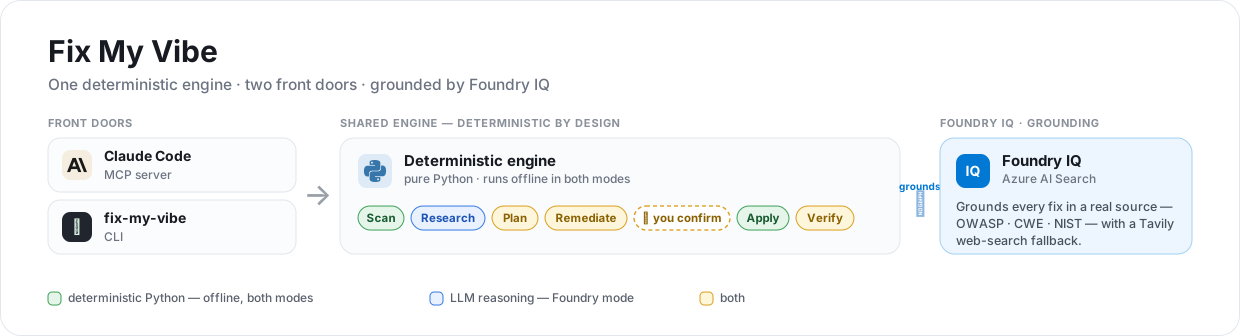
- Two front doors, one engine — the MCP server and the fix-my-vibe CLI share the exact same orchestrator; planning can never write files, and applying is the only writer.
- Deterministic where it should be, AI where it counts — detection, security scanning, config generation, and writes are pure offline Python; the LLM is reserved for the parts that genuinely reason. Moving the boilerplate out of the model cut an end-to-end run from 8m51s to 1m38s (−82%).
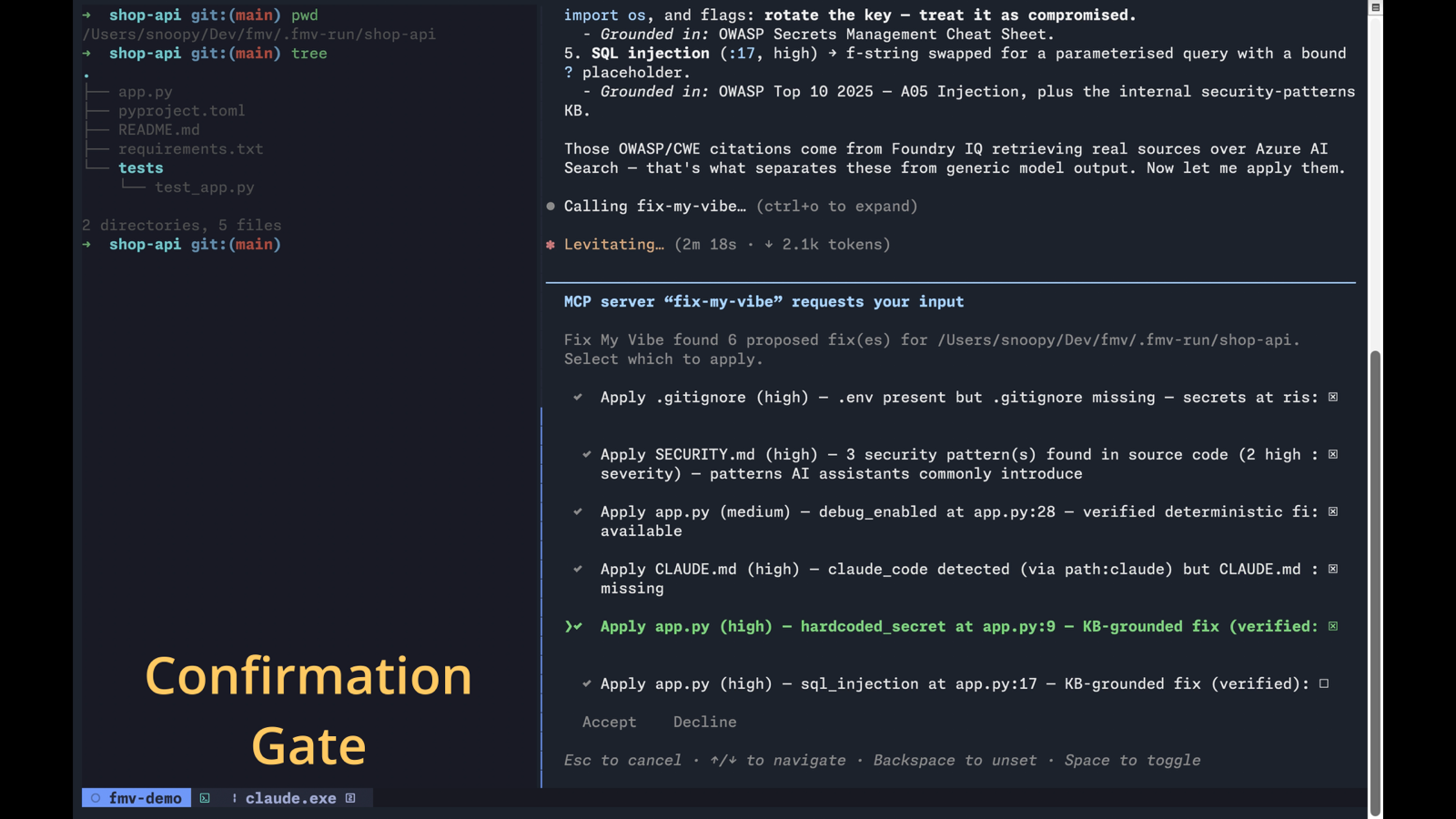
- Confirmation built into the protocol — apply_fixes uses an MCP elicitation prompt (one checkbox per fix) as its gate, and code edits default to unchecked. No confirmation channel → nothing is written.
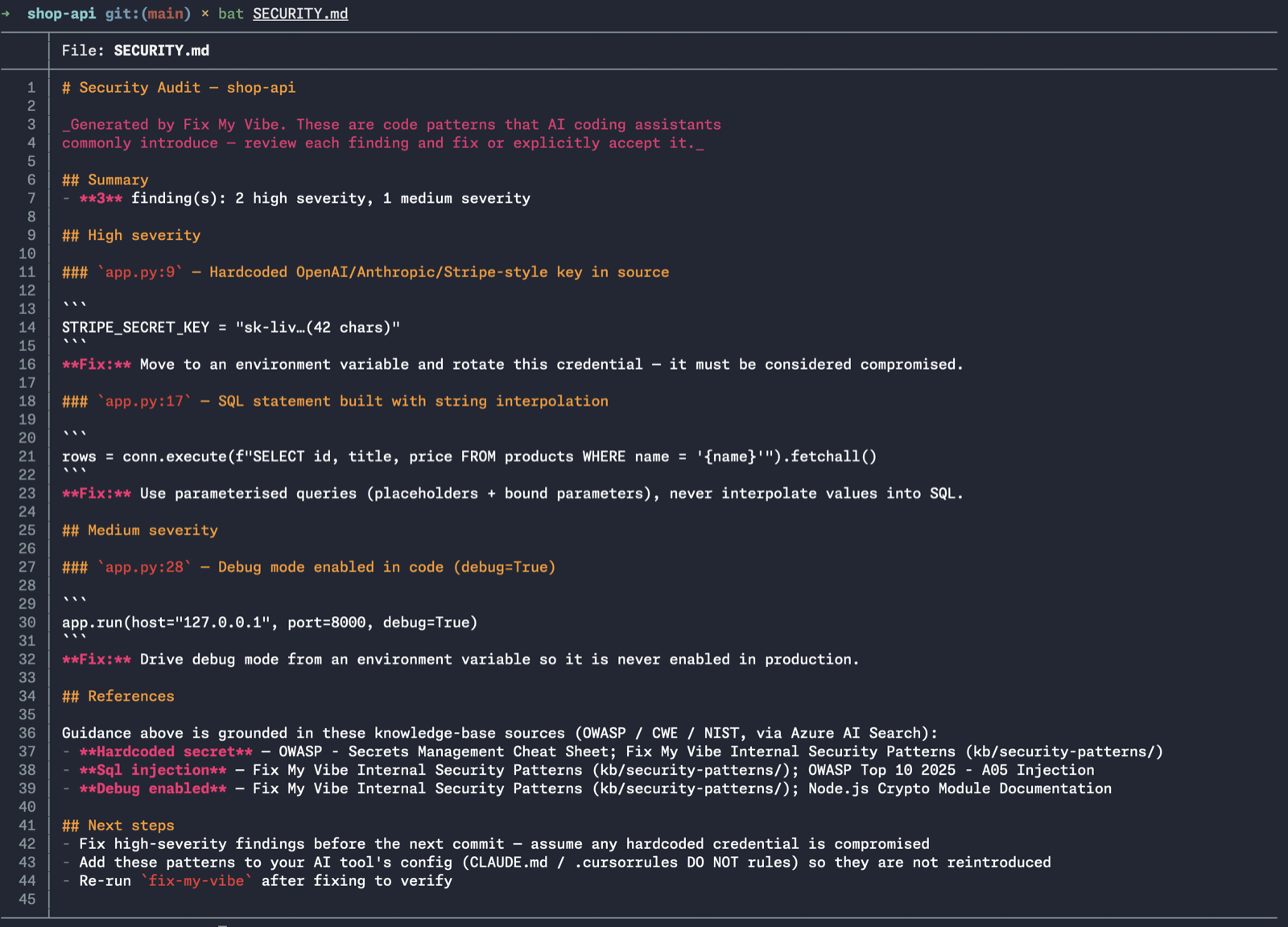
- It fixes code, not just flags it — repairs the bugs AI assistants commonly introduce (hardcoded secrets, eval/exec, SQL string interpolation, disabled TLS, debug=True, shell=True), each a confirmed diff with a versioned .bak backup and a re-verify pass, all reversible with --undo.
- Grounded, not guessed — in Foundry mode each fix is backed by a curated OWASP / CWE / NIST knowledge base retrieved over Azure AI Search (Foundry IQ), and it degrades gracefully to a fully-offline local mode if Azure is unreachable.
How it works
Two front doors — Claude Code over MCP and the fix-my-vibe CLI — feed one deterministic Python engine that runs Scan → Research → Plan → Remediate → Apply → Verify. The whole pipeline is read-only up to a single confirmation gate; only the Apply stage writes, and only the fixes you tick. Tool detection runs in layers — config-file signatures, a PATH check, and .vscode recommendations — so a tool is found whether it left a config file, is installed, or is only a suggested extension.
Safety, enforced in code
The safety properties are covered by the test suite, not just documented: it never writes without explicit confirmation, backs up before overwriting with versioned backups so a second run never destroys the pristine original, never escapes the target directory (every write is path-traversal checked), and proves every code patch before offering it — each must parse, clear its finding, introduce no new findings, and be relocated by content rather than a stale line number, or it is dropped rather than applied blind.
Screenshots